



C] Search by Tag
All resources have been allocated a number of descriptive words or phrases that best describe their content or function. You can search for documents that have the same word or tag.
Step 1: Select the ‘Search By: Tag’ menu item.
Step 2: Insert a tag or descriptive word in the text field provided.
Step 3: Click the ‘Submit’ button.
Step 4: Review your search results.
Content: Search Facilities
 |
 |
 |
 |


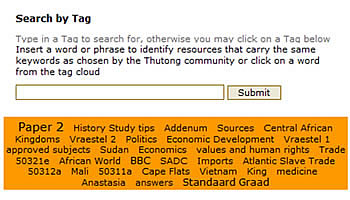

Alternatively you can select a tag from the ‘Tag Cloud’. Thutong will search for documents that have that term as a tag.