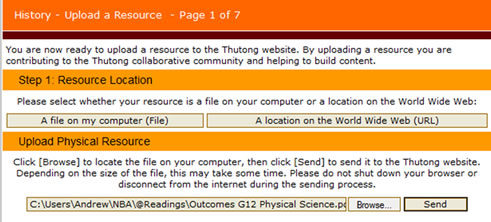
The upload facility will now want to locate the resource. In most cases you will identify a file on your local drive. Click ‘A file on my computer (File)’ and wait for the page to display the ‘Browse…’ button. Then navigate to where the file is and select it. Once the path or address of the file appears in the browse text field, as in the example below, click the ‘Send’ button.
 |
 |
 |